
Payroll you can check, approve and prove.
Nxtpay is payroll for Nigerian businesses. Review every month's run with the changes flagged, have a second person approve it, then download payslips and the bank file, with a record of every step.
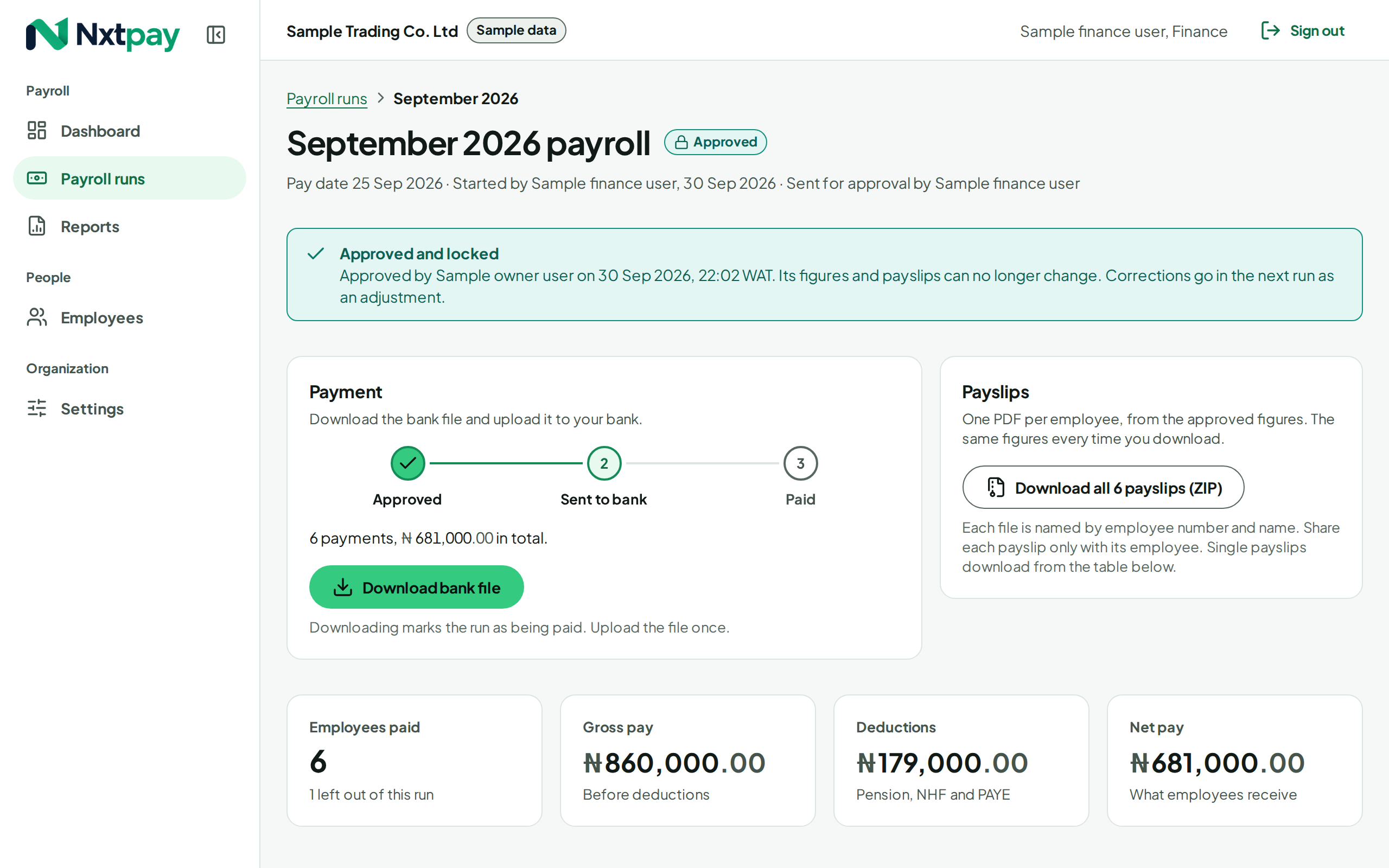
An example: the November 2026 payroll is reviewed, a second person approves it, and it is locked, with payslips and the bank file ready.
Payroll shouldn't depend on one person and one spreadsheet.
- Nobody checks the spreadsheet but the person who made it.
- A salary change or a new account number slips in, and nobody notices until payday.
- There is no record of who approved what, or when.
- Payslips are put together by hand after every run.
From salary sheet to paid, in four steps.
Start the month's run.
Salaries come from your employee records. Enter or import the month's PAYE, pension and NHF from your accountant's schedule.
Review what changed.
New hires, leavers, salary changes, new bank details and anything that moved more than usual are listed first.
A second person approves.
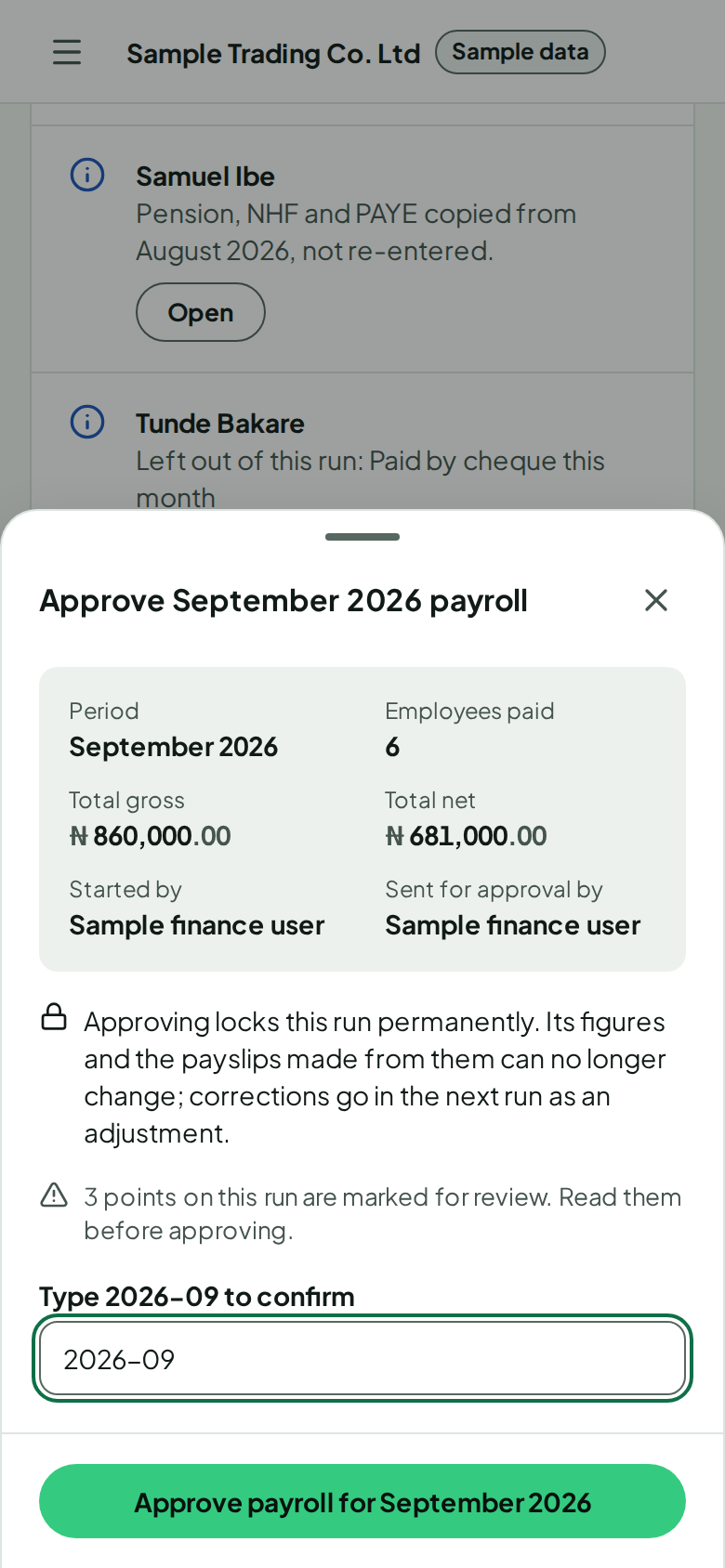
The person who prepared the run cannot approve it. Approving locks it.
Pay and share.
Download the bank file for your bank and every payslip as a PDF, then mark the run paid.
What it looks like
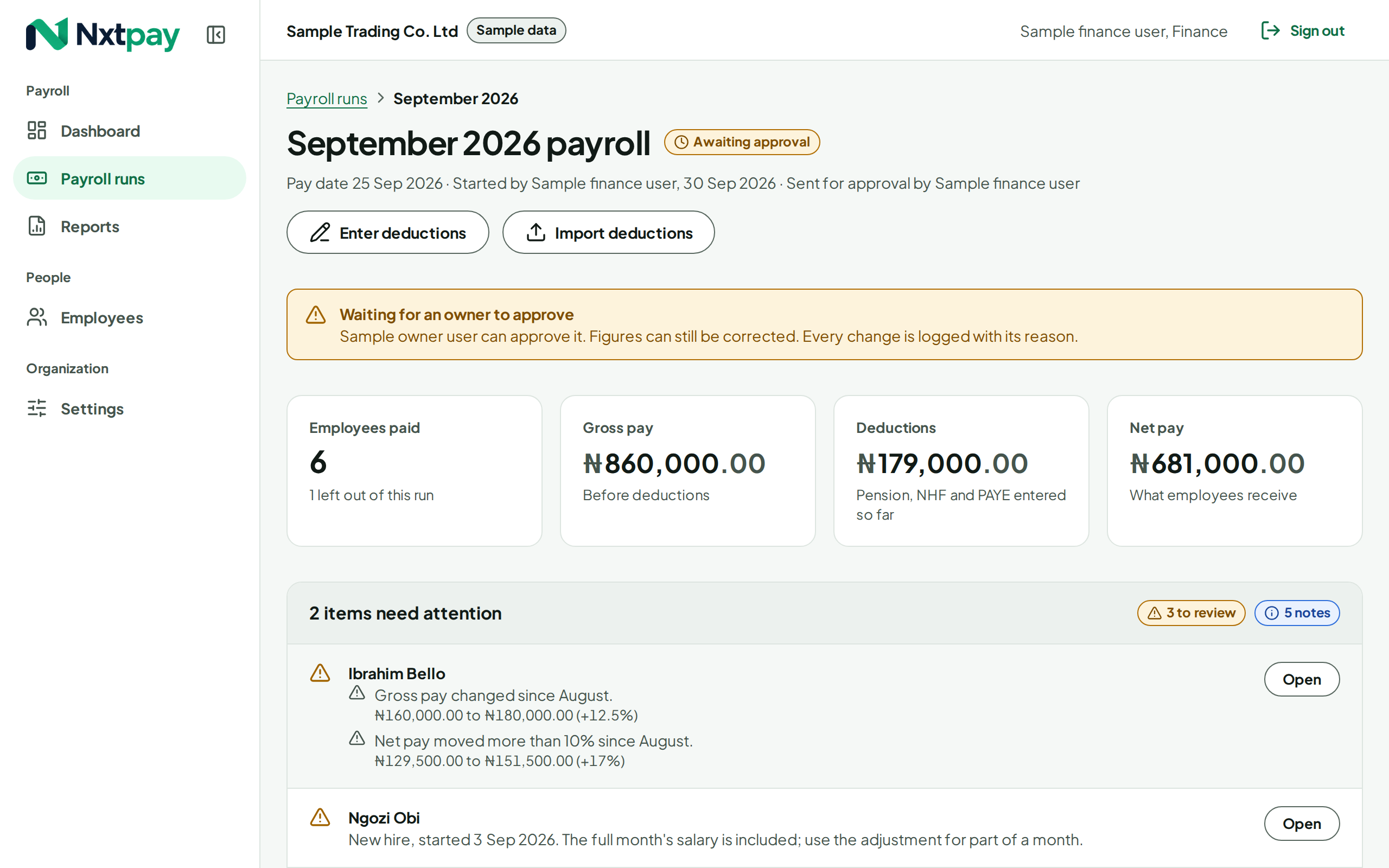
See what changed before you approve it.
Every run opens with its exceptions: who is new, who left, whose pay or bank details changed, and whose figures moved more than your threshold. The full table is below, every row open to its breakdown.
Built for other people's salaries.
-
Two-factor sign-in for anyone who can see pay.
-
Account numbers encrypted and shown only as the last four digits.
-
HR never sees pay. Hidden by the server, not just on screen.
-
An audit log nobody can edit. Every change, approval and download.
Is Nxtpay right for you?
- You pay a team every month and want a second person to check it.
- Your accountant already works out PAYE, pension and NHF, and you want the rest done properly.
- You want payslips, a bank file and a record of every run without the spreadsheet work.
Questions
Does Nxtpay calculate PAYE, pension and NHF?
Not yet. Today you enter or import each month's figures from the schedule your accountant already produces, and Nxtpay checks them, flags anything unusual against last month, and works out net pay to the kobo. Automatic calculation comes later, once an accountant has signed off its rules.
Does Nxtpay pay my staff?
No. It produces the bank file your bank accepts for bulk payments. You upload it to your bank as you do today, then mark the run as paid.
Which banks do you support?
Nxtpay produces a standard payment file today. During onboarding we set it up for your bank's bulk upload format.
Can my HR person use it without seeing salaries?
Yes. The HR role manages employee records, and salaries are hidden from them by the server, not just on screen.
What if a figure is wrong after approval?
An approved run is locked, so what was approved is what was paid. Corrections go into the next month's run as an adjustment, with a reason, and both are on record.
Can we try it before committing?
Yes. Your first month runs as a draft next to your current payroll. We compare the two before anything is approved.
Is it available now?
We're onboarding early customers. Book a demo and we'll tell you honestly whether it fits your payroll today.
See your own payroll in Nxtpay.
Bring last month's salary sheet and deductions schedule. We'll walk through a run with you.